Get Microsoft Ads setup, tools and coupon for
  free!
free! 


Are you launching P.Max campaigns into the world, but sometimes feel like they are a bit of a black box you can’t completely see into?
Finding answers as to why the algorithm acts the way it does is often complicated, leading you to lose precious time and control over your budget. That is exactly what we decided to change.
At BlueWinston, we are constantly listening to your feedback and improving our features to bring you real added value. Currently, we have focused our attention on what matters most to your performance: Performance Max (P.Max) campaigns and the directly connected P.Max ROAS Labelizer.
We have prepared a trio of key updates for you, giving you absolute visibility over your products and campaigns.
1. Full Transparency in the “Custom Labels” Column
Until now, it could be difficult to navigate which labels your products were assigned and exactly what source they came from.
Right within the product list in your P.Max campaigns, we have added a brand-new column called Custom labels. Thanks to this, you can immediately see at a glance how custom labels are set for your products, and most importantly – how these labels originated and who/what created them.
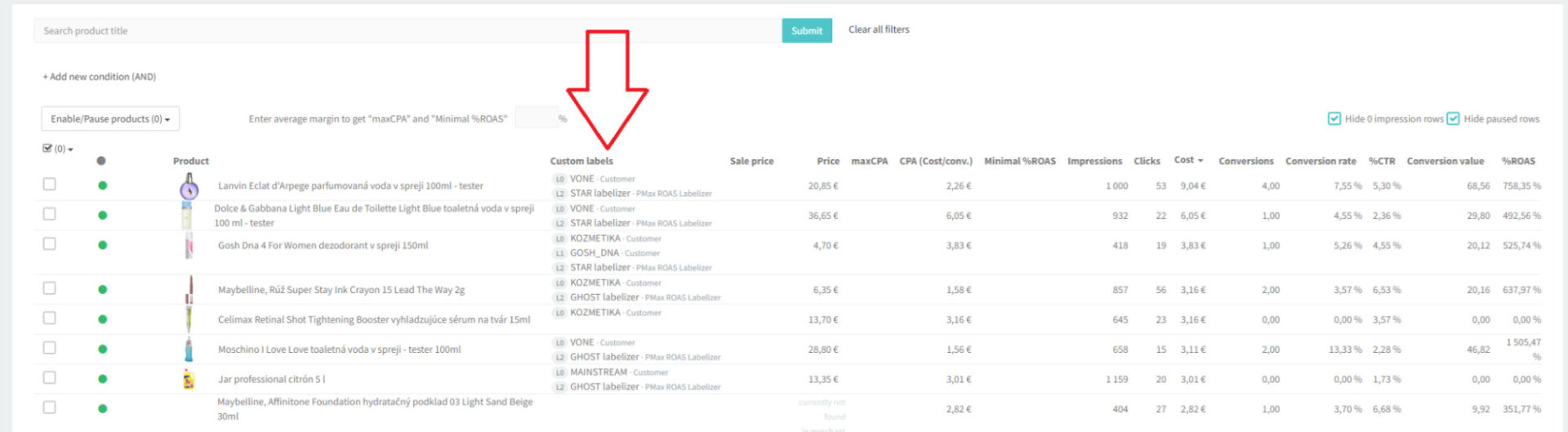
The label sources you will now clearly see include:
- Customer
- P.Max ROAS Labelizer
- GA4 Labelizer
- Margin Labelizer
- CoGS Labelizer
2. End of Guessing: Why is Your Product “Ghost” or “Zero”?
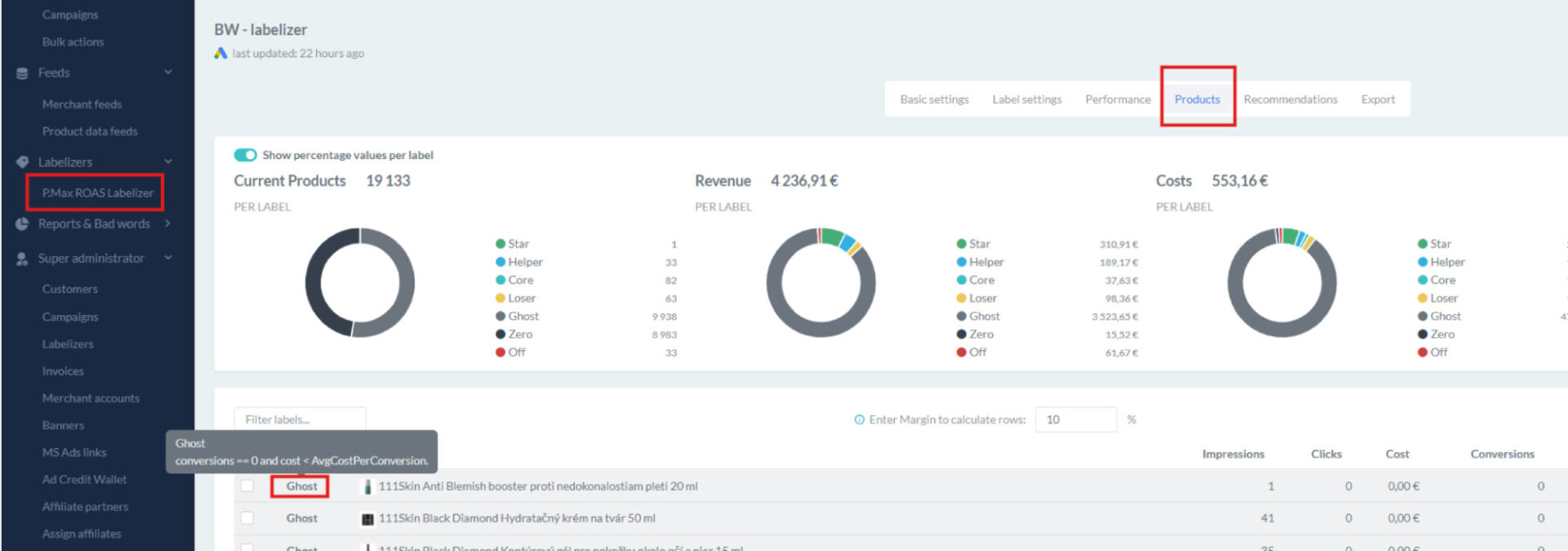
When using our P.Max Labelizer, clients often asked one fundamental question: “Why did this specific product fall under the Ghost or Zero label?” The answer lay in the numbers, which you previously had to laboriously track down.
We decided to bring this data straight to the surface for you. The calculation of key metrics – specifically conversions and costs – is now displayed directly next to every single product.
How does it work in practice?
It’s incredibly simple. Just hover your mouse cursor over a specific label next to a product in the list. A tooltip with a detailed breakdown of the values will immediately appear.
3. Custom Names for Assets in P.Max Campaigns
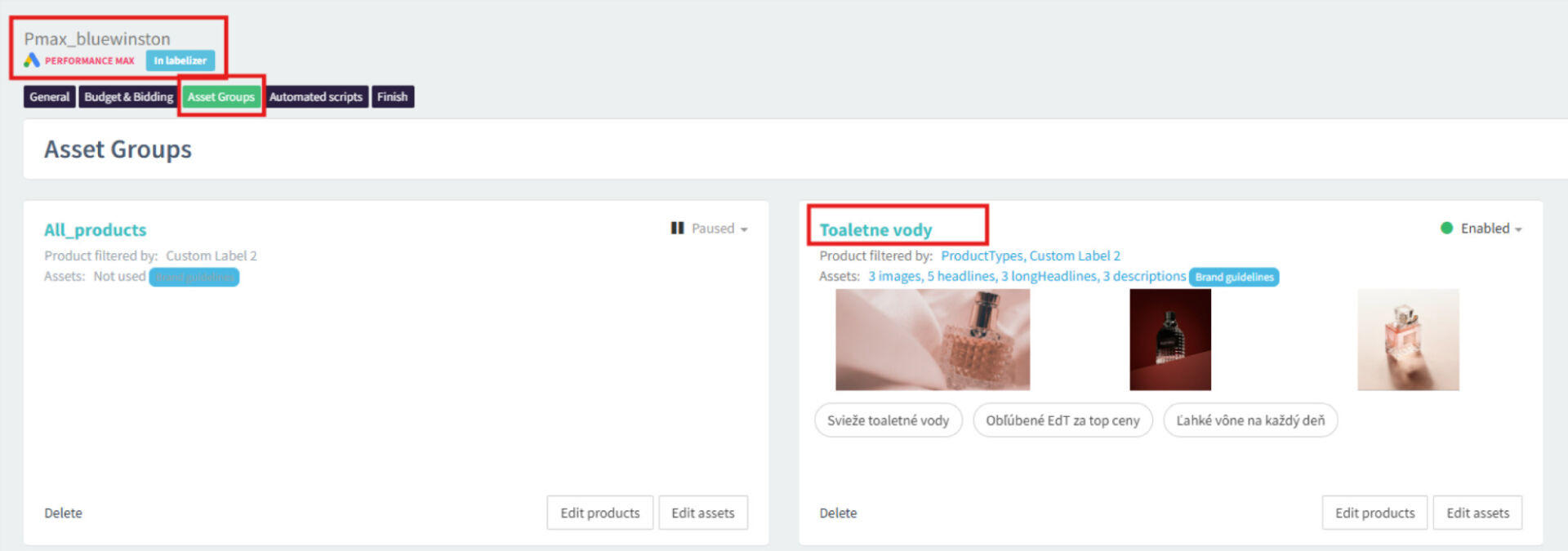
Navigating the default, often generic asset names in campaigns can be quite frustrating. Why should you have to adapt to the system when the system should adapt to you?
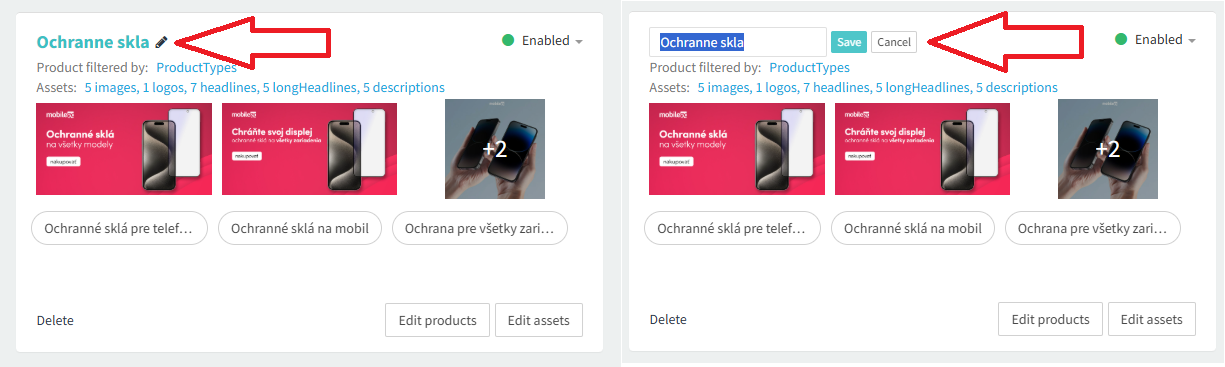
You now have full power to rename assets in your P.Max campaigns exactly according to your internal rules, structure, or current needs.
“How it used to be”:
“How it is now”:
Conclusion
All of these new features are already live in the BlueWinston interface. We believe that this P.Max ROAS Labelizer update will not only save you time but, above all, bring you deeper insights and the data necessary to maximize the optimization of your revenue.