Get Microsoft Ads setup, tools and coupon for
  free!
free! 


Google Merchant Center (GMC) is a free tool from Google used to manage products displayed in Google Shopping, Performance Max campaigns, and other ad formats. It is exactly through Merchant Center that product feeds, product diagnostics, and connections to Google Ads accounts are managed.
If you have decided to increase your e-shop’s performance using the BlueWinston tool, we need access to your Google Merchant Center. This will allow us to optimize product data, improve the performance of product ads, and fully utilize the automation capabilities that BlueWinston offers.
Read on and discover a simple guide on how to safely grant us access to Google Merchant Center according to the current interface.
What will you need to grant access?
Before you begin, prepare:
- Access to your Google Merchant Center account
- The email address of the person or agency you want to grant access to [email protected]
1. Log in to your Google Merchant Center account
Log in to Merchant Center using a Google account that has Administrator (Admin) privileges.
Click on this link and start sharing
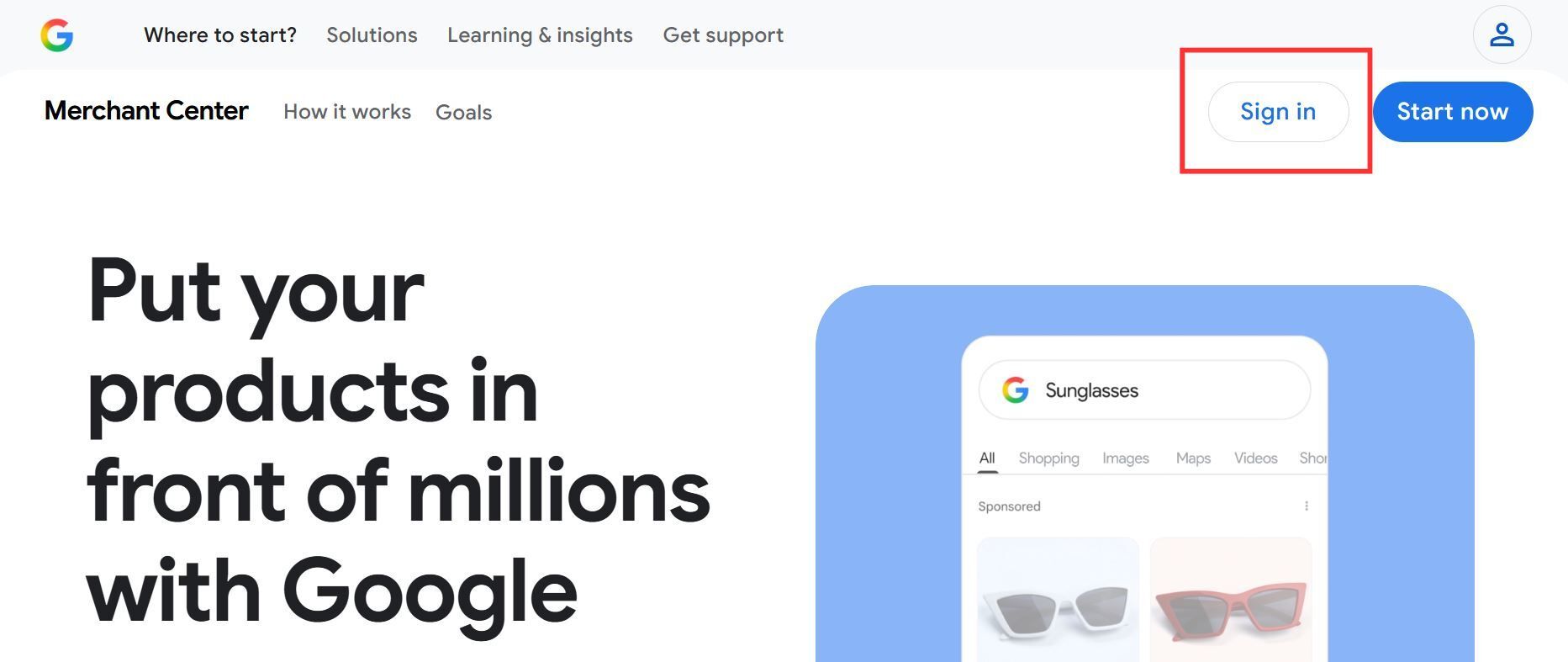
After logging in to Google Merchant Center, the main overview of your account will be displayed.
2. Specific path for sharing access to Google Merchant Center
2.1. Open account settings
In the bottom left corner of the Google Merchant Center interface, you will find “Settings” ⚙️.
- Click on it
- Select the “Access and services” option
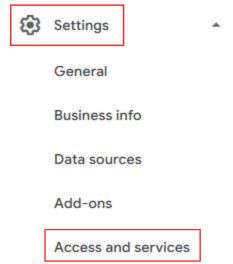
A new “Access and services” interface for sharing access will then open, where you will proceed.
2.2. Add a new user via “Access and services”
To share access to Google Merchant Center, follow these steps:
- Make sure you are in the “People and access” section.
- Click below on the “Add person” feature.
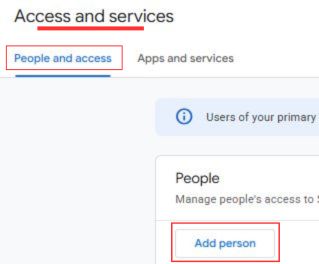
2.3. Have the email address ready for sharing access
After clicking on “Add person”, you will see the option to enter the email address for sharing access to Google Merchant Center and setting the level of user rights.
- Add the email address
- Click “Next”
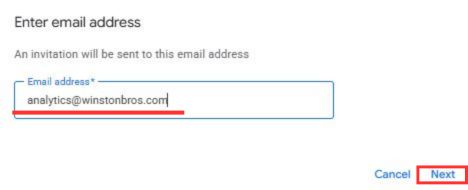
3. After clicking “Next”, the “Access type” interface will appear.
4. Set the Access type to the “Admin” level.
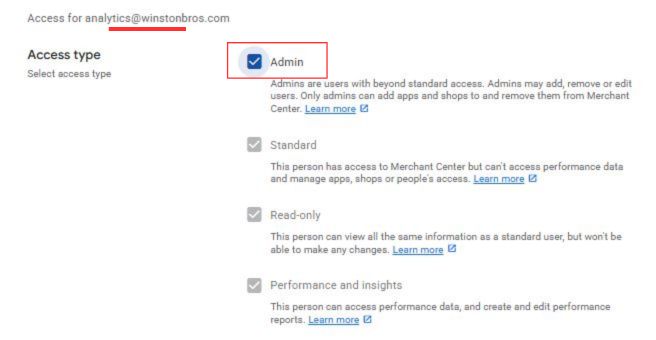
5.In the bottom right corner, click on “Add user”
The invitation to your Google Merchant Center for BlueWinston will arrive in our inbox
After adding our email to manage your products in shopping campaigns via BlueWinston, we will receive an invitation that will allow us to fully connect your GMC with the BlueWinston tool. Based on the data from your GMC, we will gain the ability to use all internal tools for the efficient management of product ads in Google Shopping ads.
Frequently Asked Questions
Merchant Center supports multiple administrators and standard users at the same time. This means you can grant the “Admin” access type to multiple people, freelancers, and agencies who manage your advertising or need to have control over the product feed that sends products to Google Merchant Center.
Is it safe to grant access to an agency?
Before granting access to Google Merchant Center, always make sure the email address is correct. In any case, you can modify or completely remove the access at any time without losing your products or data.
Conclusion
Properly set up access in Google Merchant Center is the foundation of seamless cooperation between the e-shop owner and the marketing agency or our BlueWinston tool, which is suitable for both e-shop owners and agencies.
Thanks to this, it is possible to efficiently manage product feeds, handle diagnostics, and run Shopping campaigns.
If you need help setting up Google Merchant Center, product feeds, diagnostics of disapproved products, or managing advertising campaigns, we will be happy to help you.