Get Microsoft Ads setup, tools and coupon for
  free!
free! 


There are days when everything goes according to plan. And then there are days when your campaign launch is blocked by a missing “https://” in the feed, or you lose unsaved settings just because an unexpected system update occurred.
We all know that in campaign management, it’s often not just the big strategic decisions that matter, but exactly these minor obstacles. We know this problem inside and out. That’s why we focused right on them in the latest BlueWinston update.
This time, it’s not about changes to campaign architecture, but practical UX/UI tweaks that will save you time, reduce frustration, and give you much greater control over the entire tool environment.
The new update allows you to:
- Set a URL prefix for incomplete XML feeds.
- Track the exact status of Merchant and Labelizer updates directly in the campaign list.
- Stay informed about planned maintenance thanks to new notifications.
- Manage payment methods and billing more easily.
How do these new features work in practice?
UPDATE 1) End to the “In queue” Mysteries
Clear Update Status
Have you ever wondered why your campaign shows up as “In queue,” but nothing happens for a while?
With P.Max Labelizer campaigns, the data update order must be strictly followed: first, the Merchant account is updated, then the Labelizer, and finally the campaign itself. So, if a campaign is in the queue, it is often simply waiting for the previous processes to finish.
From now on, you no longer have to guess. In the campaign list, you can clearly see whether a Merchant update or a Labelizer update is currently running. That way, you know exactly what the system is doing right now.

UPDATE 2) Product URL Prefix
A Quick Rescue for Incomplete XML Feeds
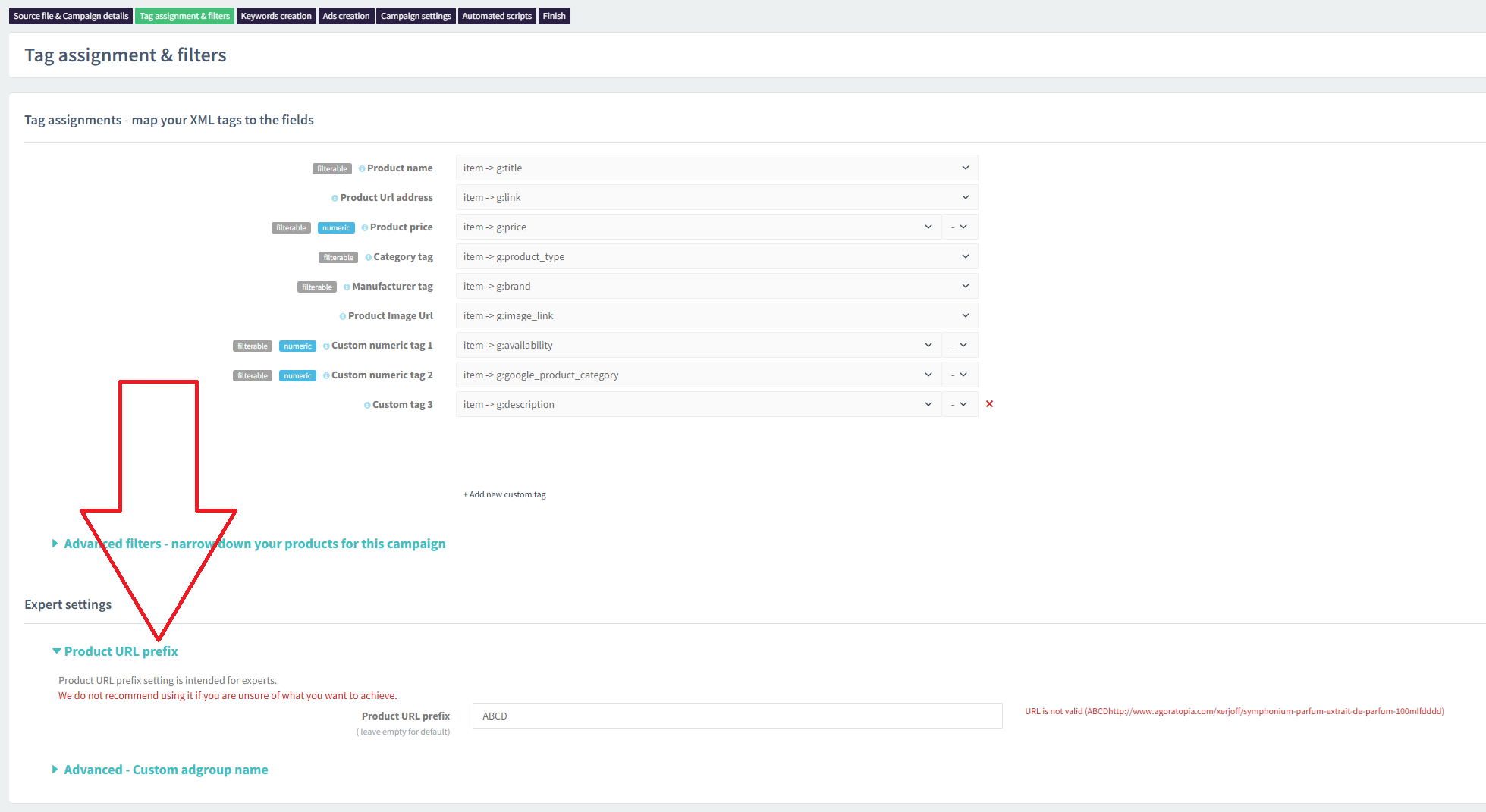
Does your XML feed only contain the path to the subpage for products (e.g., /category/product), but the e-shop domain itself (e.g., https://www.eshop.com) is missing? In the past, this could be a major blocker when creating campaigns.
However, you no longer need to go through the hassle of editing the feed externally. We have added the option to set a Product URL prefix directly in the tag mapping process. You simply enter the missing server address into this field, the system automatically appends it to the path from the XML, and your ads will get valid, functional destination URLs.
UPDATE 3) Notifications About New Version Deployments
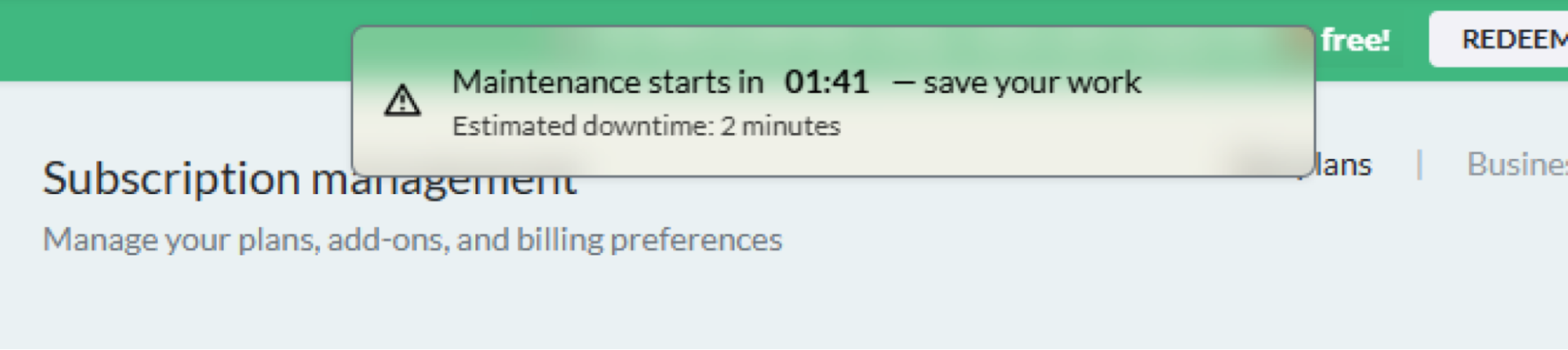
We are constantly improving BlueWinston and responding to market demands. However, this means that we deploy new versions and updates relatively quickly and often – on average 1 to 2 times a day.
To prevent situations where an update interrupts your work – for example, right in the middle of setting up a complex filter – we have added a clear notification to the page. When you see this warning about upcoming maintenance, you will know you have the time to safely save your work.
UPDATE 4) More Control Over Payment Methods and Invoices
To make managing your account and finances as clear as possible, we have implemented two important changes in the subscription section:
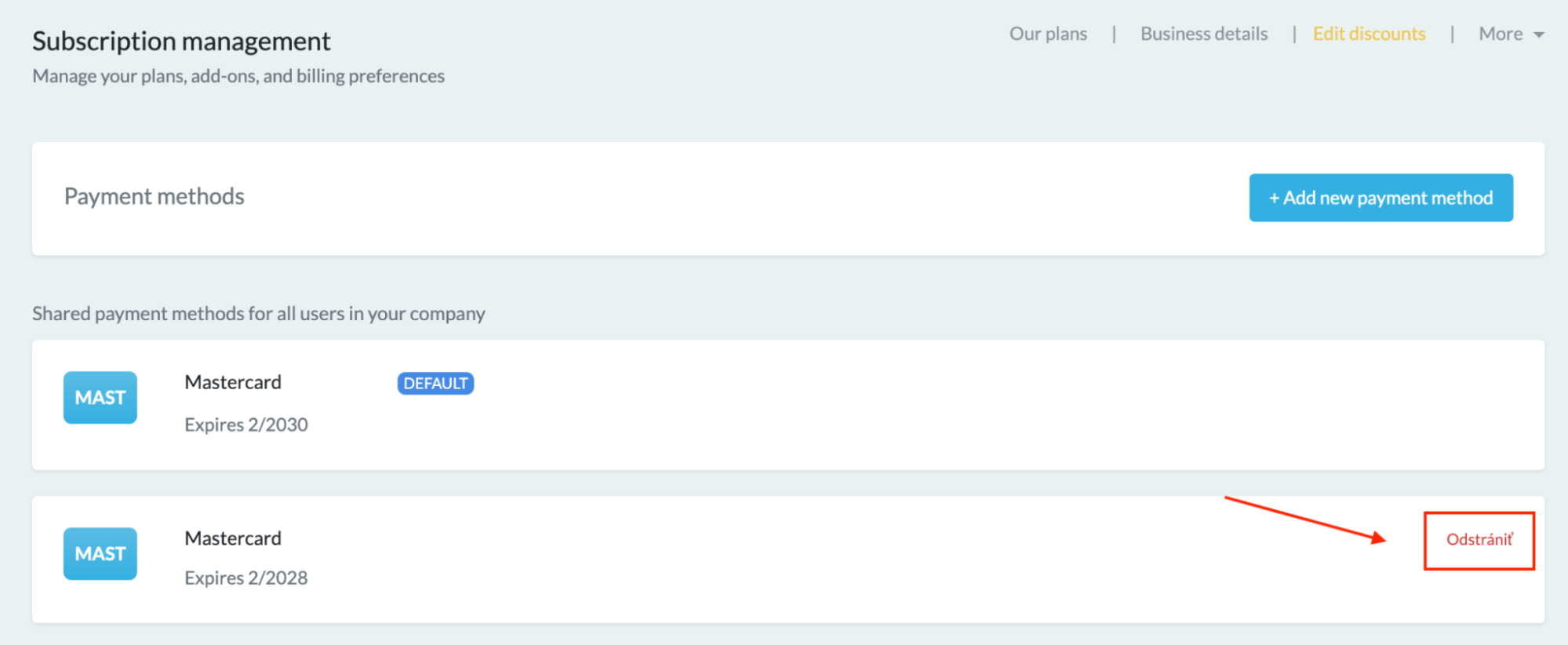
1. Deleting payment methods:
We have added the ability to easily delete old or outdated payment methods at any time. (Note: For security reasons, the default—your main—payment method cannot be deleted until you replace it with another one).
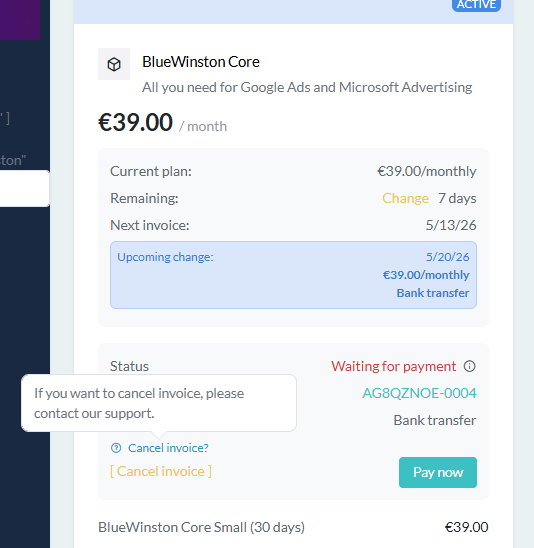
2. Canceling an invoice:
If you need to void or cancel an issued invoice, we have added an informational tooltip. This clearly informs you that you need to contact our Support for this step. Our team will then ensure the safe cancellation of your invoice.
The Details Create a Functional Whole
They might seem like minor things at first glance, but in daily operations, they make a huge difference. Less frustration from incomplete data, more transparency in background processes, and smoother account management.
Try working in the updated interface today. If you have any questions about the new features or need a hand, we are here for you. Drop us a line at [email protected] and we will be happy to help!